https://metalworks.online/
Explore part-time, self-paced online courses designed by the industry professionals at Metalworks Institute—Canada’s premiere school for music and entertainment. Whether you’re diving into audio production, recording, music business, or songwriting, earn a recognized certificate and gain real-world skills from the comfort of your own home.
Shareable Certificate
Taught in English
Course Evaluations:
5 Quizzes & 1 Final Exam
Course Availability:
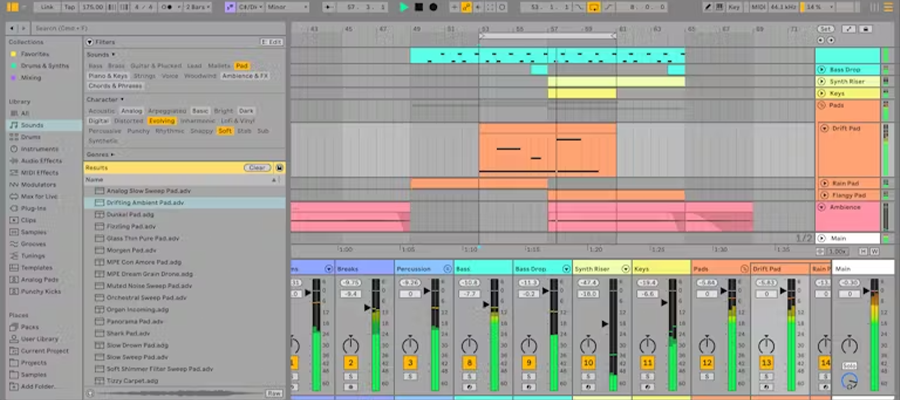
On-Demand Ableton Live II – Advanced Techniques builds on the fundamentals by guiding students through advanced techniques for creating, shaping, and performing music in Ableton Live. The course explores complex audio and MIDI workflows, advanced warping, and creative resampling, while introducing racks, chains, and flexible routing for dynamic sound processing. Students will dive into sound design using Ableton’s instruments, Sampler, and Max for Live devices, and learn how to integrate hardware controllers for live performance setups. The course concludes with professional-level mixing, mastering, and optimization strategies, ensuring students can produce polished tracks and develop workflows for both studio production and live performance.
Ableton Live is not only a music production tool — it can also handle video, making it useful for film scoring, sound design, and audio post-production. This module teaches students how to import and sync video, navigate through important visual cues, warp music to picture, spot emotional beats, and export their audio back into formats ready for video editors. By the end, students will understand how to use Ableton Live as part of a professional video workflow.
Max for Live (M4L) is an extension of Ableton Live that opens up endless creative and technical possibilities. It combines the flexibility of Ableton with the programming environment of Max, allowing users to build custom devices, automate advanced workflows, and design unique instruments and effects. This module introduces students to M4L fundamentals, explores stock devices, and walks through workflows for designing, modulating, and sourcing devices. By the end, students will understand both how to use Max devices and how to begin patching their own.
Ableton Live’s Session View is one of its defining features, designed for performance, improvisation, and non-linear composition. Unlike linear DAWs, Live allows you to trigger clips, scenes, and follow actions in real time, making it a favorite tool for electronic musicians, DJs, and live performers. This module focuses on advanced clip launching, automation with follow actions, and scene-based structures. By the end, students will be able to build dynamic, performance-ready sets that balance structure with spontaneity.
Ableton Live’s Rack system is one of its most powerful features for sound design, mixing, and performance. Racks allow you to group instruments, effects, or samples into flexible containers with advanced routing, layering, and macro control. They can be used for everything from simple drum kits to massive multi-layered synthesizer setups or performance-ready FX units. This module teaches students how to build, customize, and perform with racks, unlocking the ability to design complex instruments and live rigs.
MIDI control, key mapping, and alternative tuning systems extend Ableton Live far beyond traditional composition. This module explores everything from efficient MIDI mapping strategies to advanced expression mapping (MPE), creative layering, and alternative scales. Students will learn how to set up their controllers, build expressive playable instruments, and even experiment with tuning systems outside of Western equal temperament.
Required Hardware (minimum):
Laptop Computer (PC or Mac)
Ableton Live Software Recommended
Specifications:
Minimum 3.0 GHz Processor
16GB RAM (64 Bit)
256GB SSD
Ableton Live I – Fundamentals introduces students to the core...
Ableton Live I – Fundamentals introduces students to the core tools and workflows of Ableton Live, focusing on building a solid foundation in music production. Students will explore the unique dual-view workflow of Session View...